Service Finder
Beta testing
View on your phone app.servicefinderapp.com
Please send all feedback to info@servicefinderapp.com
What IS Service Finder?
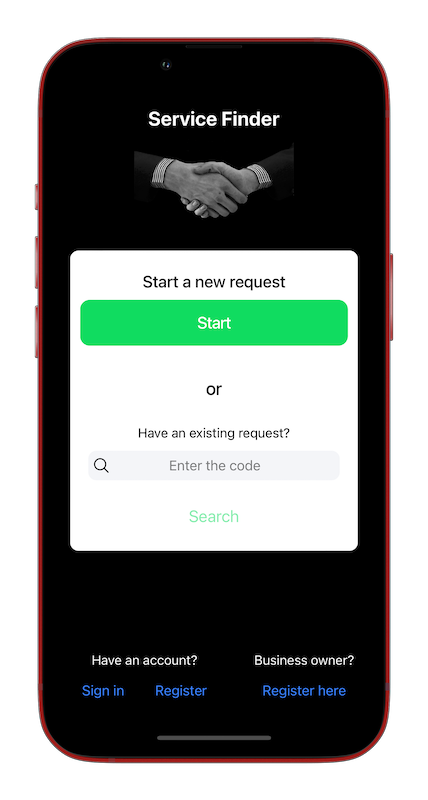
- It’s for anyone needing service (handyman, mechanic, photographer, etc) to easily connect with small businesses.
- It’s for small businesses and contractors to easily find & connect with potential customers.
How does it work?
As a user
- Submit a request, and interested businesses will notify you via the app and via email.
- Contact any of the businesses to schedule an appointment and work with them.
- After the service is performed, rate it.
- You can optionally create an account, so as to track your requests.
As a business owner
- Create an account, then wait for users to submit requests
- Once you receive a request, send a quote along with a description of your services
- If the user is interested, he/she will contact you to set up an appointment.
- After servicing the customer, remind him/her to rate your service.
To test, on your phone, go to app.servicefinderapp.com
This test requires 2 or more people - one or more as regular users, one or more as business owners.
To test as a user
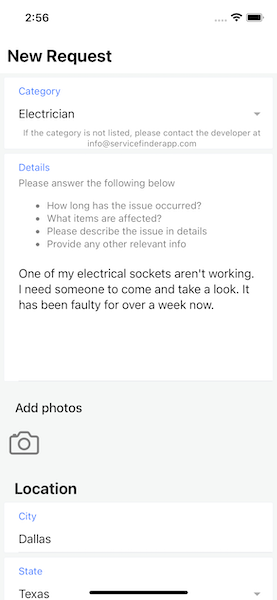
- From the home screen, press ‘Start’ and fill out the form. The request code will be emailed to you.
- Check your email for the request code, which you will need to find your request in the future.
- If you created an account, which you can do while filling out the form, you won’t need to remember the code.
- At this point, any nearby businesses have been notified.
- Any interested business will send you quotes via the app and via email. The quote includes the business’ contact information.
- Contact any of the businesses to schedule an appointment.
- After the service is done, go back to the app, find the request (using the request code) and rate the service.
To test as a business owner
- On the home screen, press ‘Register here’ to set up your business account. For testing, you can use fake name, address, etc, but the email address must be a real one, as that’s where you will receive notifications.
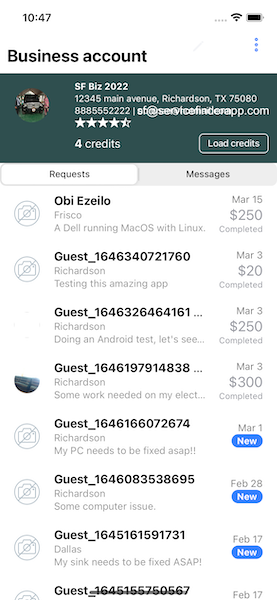
- After registering, you will be taken to the business account screen.
- You’ll need credits to connect to users via their requests, so press ‘load credits’ to buy the credits. Each credit costs $1.
- Use any of these test credit card numbers. The expiration date can be any future date.
North American/European testers
The CCV can be any 3 digits4242424242424242
6200000000000005
5555555555554444
2223003122003222
5105105105105100371449635398431
6011111111111117
6011000990139424
3056930009020004
362272062716674000056655665556
4000002500001001
5555552500001001
378282246310005African testers
507850785078507804, CCV 884, pin 0000, OTP 123456
4084084084084081, CCV 408
507850785078507812, CCV 081, pin 1111 - After purchasing the credits, you should be returned to the business account screen.
- New requests, if any, will show on the business account screen. Press any of them for more details and to send a quote.
- On the quote screen, enter the amount and any message for the user, then press ‘send’.
- You will be charged one credit
- The user will receive the quote as well as your contact information.
- If the user is interested, he/she will contact you to schedule an appointment and so on.
- After the service is complete, remind the user to rate you. You will be notified once rated, and it will appear in your business account.
Thank you for testing. Please send all feedback to info@servicefinderapp.com